


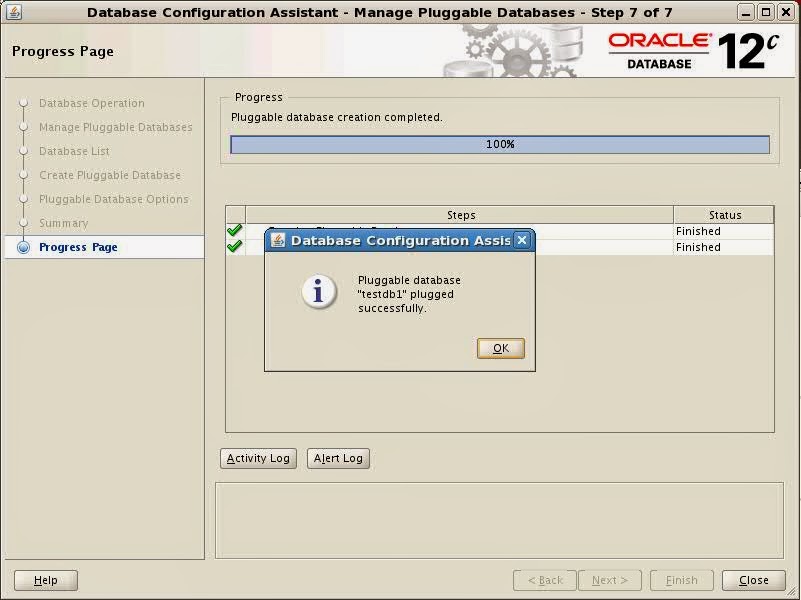


| SQL> alter pluggable database testdb1 close; Pluggable database altered. SQL> alter pluggable database testdb1 open read only; Pluggable database altered. SQL> SQL> create pluggable database testdb2 from testdb1 FILE_NAME_CONVERT=('/u02/app/oracle/oradata/testdb/testdb1','/u02/app/oracle/oradata/testdb/testdb2'); create pluggable database testdb2 from testdb1 FILE_NAME_CONVERT=('/u02/app/oracle/oradata/testdb/testdb1','/u02/app/oracle/oradata/testdb/testdb2') * ERROR at line 1: ORA-65005: missing or invalid file name pattern for file - /u02/app/oracle/product/12.1.0/dbhome_1/dbs/soe.dbf |
| SQL> create pluggable database testdb2 from testdb1 FILE_NAME_CONVERT=('/u02/app/oracle/oradata/testdb/testdb1','/u02/app/oracle/oradata/testdb/testdb2','/u02/app/oracle/product/12.1.0/dbhome_1/dbs/soe.dbf','/u02/app/oracle/oradata/testdb/testdb2/soe.dbf'); Pluggable database created. SQL> |
| -bash-3.2$ pwd /u02/app/oracle/oradata/testdb/testdb2 -bash-3.2$ ls soe.dbf sysaux01.dbf system01.dbf temp01.dbf testdb1_users01.dbf -bash-3.2$ ls -lrt total 4397364 -rw-r----- 1 oracle oinstall 20979712 Oct 29 22:50 temp01.dbf -rw-r----- 1 oracle oinstall 5251072 Oct 29 22:50 testdb1_users01.dbf -rw-r----- 1 oracle oinstall 272637952 Oct 29 22:50 system01.dbf -rw-r----- 1 oracle oinstall 650125312 Oct 29 22:50 sysaux01.dbf -rw-r----- 1 oracle oinstall 3570409472 Oct 29 22:50 soe.dbf -bash-3.2$ |
| SQL> alter pluggable database testdb2 open; Pluggable database altered. SQL> Next, we close testdb1 which is in read only node and re-open it again. SQL> alter pluggable database testdb1 close; Pluggable database altered. SQL> SQL> alter pluggable database testdb1 open ; Pluggable database altered. SQL> |
| -bash-3.2$ sqlplus / as sysdba SQL*Plus: Release 12.1.0.1.0 Production on Tue Oct 29 22:55:05 2013 Copyright (c) 1982, 2013, Oracle. All rights reserved. Connected to: Oracle Database 12c Enterprise Edition Release 12.1.0.1.0 - 64bit Production With the Partitioning, OLAP, Advanced Analytics and Real Application Testing options SQL> show con_name CON_NAME ------------------------------ CDB$ROOT SQL> show con_id CON_ID ------------------------------ 1 SQL> select name from v$datafile; NAME -------------------------------------------------------------------------------- /u02/app/oracle/oradata/testdb/system01.dbf /u02/app/oracle/oradata/testdb/sysaux01.dbf /u02/app/oracle/oradata/testdb/undotbs01.dbf /u02/app/oracle/oradata/testdb/pdbseed/system01.dbf /u02/app/oracle/oradata/testdb/users01.dbf /u02/app/oracle/oradata/testdb/pdbseed/sysaux01.dbf /u02/app/oracle/oradata/testdb/testdb1/system01.dbf /u02/app/oracle/oradata/testdb/testdb1/sysaux01.dbf /u02/app/oracle/oradata/testdb/testdb1/testdb1_users01.dbf /u02/app/oracle/product/12.1.0/dbhome_1/dbs/soe.dbf /u02/app/oracle/oradata/testdb/testdb2/system01.dbf NAME -------------------------------------------------------------------------------- /u02/app/oracle/oradata/testdb/testdb2/sysaux01.dbf /u02/app/oracle/oradata/testdb/testdb2/testdb1_users01.dbf /u02/app/oracle/oradata/testdb/testdb2/soe.dbf 14 rows selected. SQL> |
| -bash-3.2$ echo $ORACLE_SID testdb -bash-3.2$ sqlplus / as sysdba SQL*Plus: Release 12.1.0.1.0 Production on Tue Oct 29 09:22:28 2013 Copyright (c) 1982, 2013, Oracle. All rights reserved. Connected to: Oracle Database 12c Enterprise Edition Release 12.1.0.1.0 - 64bit Production With the Partitioning, OLAP, Advanced Analytics and Real Application Testing options SQL> SQL> show con_name CON_NAME ------------------------------ CDB$ROOT SQL> show con_id CON_ID ------------------------------ 1 SQL> select name from v$datafile; NAME -------------------------------------------------------------------------------- /u02/app/oracle/oradata/testdb/system01.dbf /u02/app/oracle/oradata/testdb/sysaux01.dbf /u02/app/oracle/oradata/testdb/undotbs01.dbf /u02/app/oracle/oradata/testdb/pdbseed/system01.dbf /u02/app/oracle/oradata/testdb/users01.dbf /u02/app/oracle/oradata/testdb/pdbseed/sysaux01.dbf /u02/app/oracle/oradata/testdb/testdb1/system01.dbf /u02/app/oracle/oradata/testdb/testdb1/sysaux01.dbf /u02/app/oracle/oradata/testdb/testdb1/testdb1_users01.dbf /u02/app/oracle/product/12.1.0/dbhome_1/dbs/soe.dbf 10 rows selected. SQL> select con_id,name from v$tempfile; CON_ID ---------- NAME -------------------------------------------------------------------------------- 1 /u02/app/oracle/oradata/testdb/temp01.dbf 2 /u02/app/oracle/oradata/testdb/pdbseed/pdbseed_temp01.dbf 3 /u02/app/oracle/oradata/testdb/testdb1/temp01.dbf SQL> select name from v$controlfile; NAME -------------------------------------------------------------------------------- /u02/app/oracle/oradata/testdb/control01.ctl /u02/app/oracle/fast_recovery_area/testdb/control02.ctl SQL> select member from v$logfile; MEMBER -------------------------------------------------------------------------------- /u02/app/oracle/oradata/testdb/redo03.log /u02/app/oracle/oradata/testdb/redo02.log /u02/app/oracle/oradata/testdb/redo01.log SQL> |
| SQL> ALTER SESSION SET CONTAINER =testdb1; Session altered. SQL> show con_name CON_NAME ------------------------------ TESTDB1 SQL> show con_id CON_ID ------------------------------ 3 SQL> select name from v$datafile; NAME -------------------------------------------------------------------------------- /u02/app/oracle/oradata/testdb/undotbs01.dbf /u02/app/oracle/oradata/testdb/testdb1/system01.dbf /u02/app/oracle/oradata/testdb/testdb1/sysaux01.dbf /u02/app/oracle/oradata/testdb/testdb1/testdb1_users01.dbf /u02/app/oracle/product/12.1.0/dbhome_1/dbs/soe.dbf SQL> select con_id,name from v$tempfile; CON_ID ---------- NAME -------------------------------------------------------------------------------- 3 /u02/app/oracle/oradata/testdb/testdb1/temp01.dbf SQL> select name from v$controlfile; NAME -------------------------------------------------------------------------------- /u02/app/oracle/oradata/testdb/control01.ctl /u02/app/oracle/fast_recovery_area/testdb/control02.ctl SQL> select member from v$logfile; MEMBER -------------------------------------------------------------------------------- /u02/app/oracle/oradata/testdb/redo03.log /u02/app/oracle/oradata/testdb/redo02.log /u02/app/oracle/oradata/testdb/redo01.log SQL> |


